AI Tools for Research Paper Writing: Choose by Task
— Gatsbi
Research paper writing involves several different jobs: developing an outline, drafting from research records, revising language, managing references and checking source support. Choose tools around the job that needs help. This guide compares those writing tasks and suggests a small check for each tool before you rely on its output.
Gatsbi: From Research Materials to a Draft
Develop a research idea. Gatsbi uses TRIZ-inspired prompts to help explore a technical problem and possible approaches. Treat a proposed direction as something to investigate: its novelty, feasibility and relationship to previous research still need evidence. Check the Gatsbi ideation workflow and the current interface for the task you intend to run.
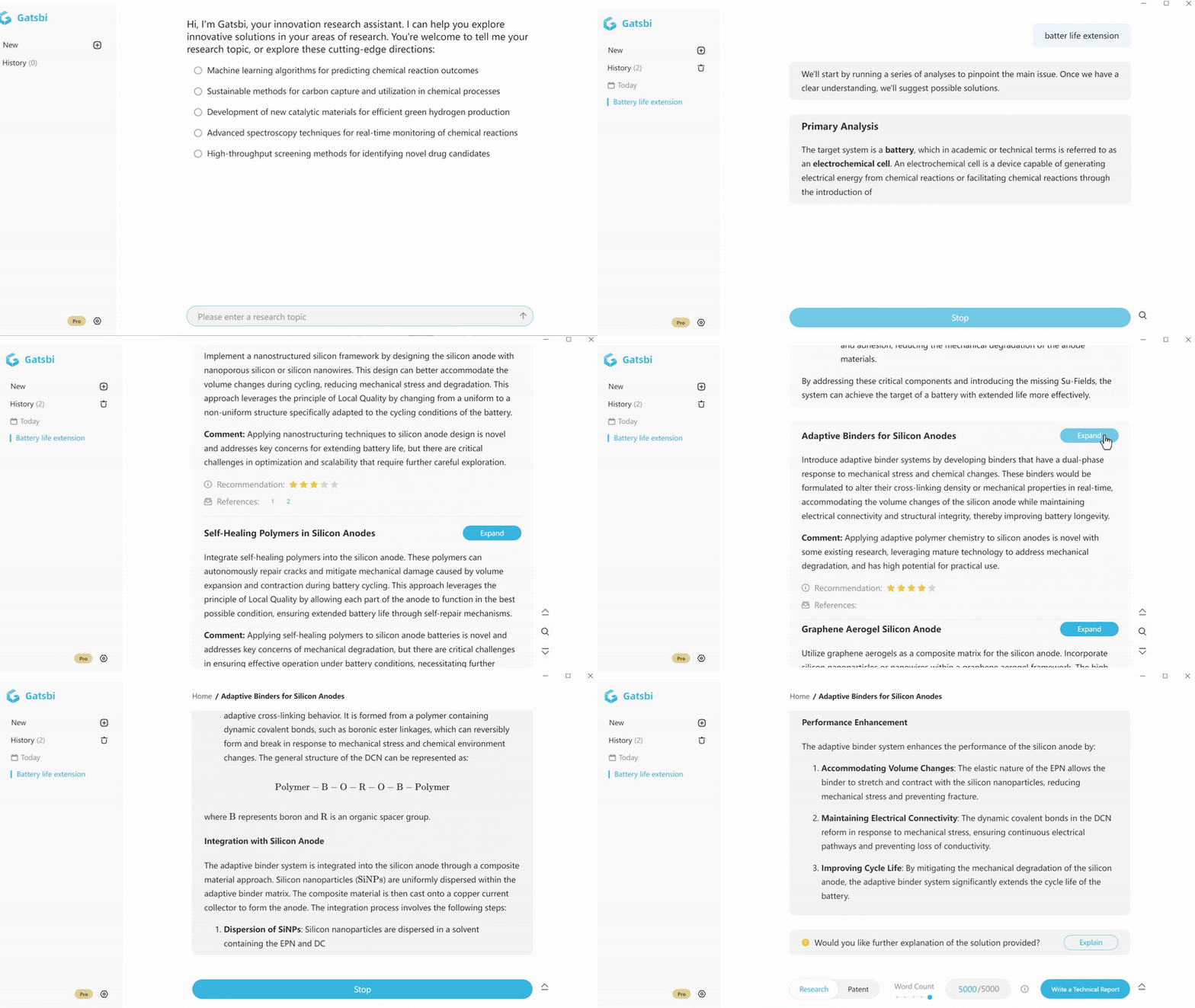
Draft from material you can support. Gatsbi Writer can help organize research notes into a manuscript draft. Start with the question, actual methods and available findings, then check whether the generated sections preserve them. See the tutorial on drafting from prior research for the input and document workflow.
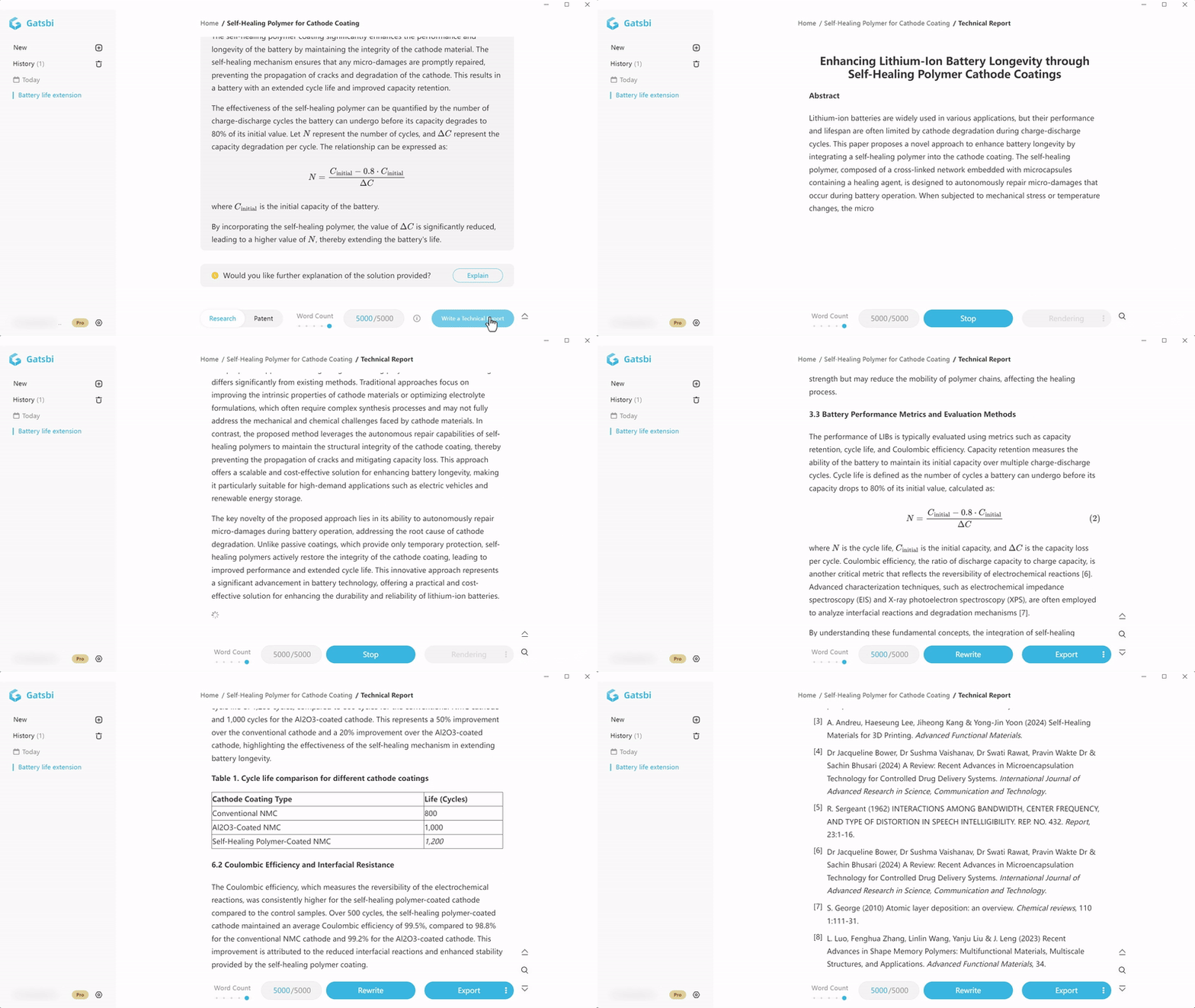
Inspect references and figures. A generated citation should lead to the intended source, and that source should support the nearby claim. Check figure labels, units and captions against the underlying records. A correctly formatted reference or polished chart does not establish that its content is correct.
Check the exported draft. Open the document in the editor you intend to use and inspect equations, citations, tables and section structure. The paper-drafting tutorial explains the illustrated export workflow. Test it with a short document from your discipline before using it for a full manuscript.
Other Tools for Specific Writing Tasks
Gatsbi publishes this guide and is one of the products discussed. The descriptions below draw on the linked official product pages, reviewed on 18 October 2026; they are not results of a comparative performance test. Features overlap, and access depends on the current product and account. Reference managers and discovery tools are included because they support writing, even when their main function is not AI text generation.
1. Grammarly: Language Revision
Grammarly offers proofreading, rewrites, tone suggestions and generative writing assistance. For a research draft, try a paragraph containing a technical term, a numerical result and a qualified conclusion. Accept edits only if those meanings survive. A language or plagiarism check is not a judgment of the study’s validity or a guarantee of originality.
2. QuillBot: Rephrasing and Citation Formatting
QuillBot offers paraphrasing, grammar tools, summaries and a citation generator, alongside other AI features. Use it to explore clearer wording while retaining attribution to the original source. Check whether a rewrite changes uncertainty, causality or the scope of a claim. Rewording someone else’s work does not remove the need to cite it.
3. Jenni: Drafting With a Research Library
Jenni’s documentation covers writing assistance, an outline builder, citations, a research library and PDF reading. Test a short section using sources you already understand: can you identify which passage supports each claim and keep the references attached during revision and export? Generated prose still needs an author’s review.
4. Paperpal: Academic Editing, Research and Citations
Paperpal combines academic writing support with research and citation features. Its product changelog describes current updates, including Research & Cite and reviewable rewrite changes. Test both the wording and source support of an edited paragraph rather than assuming that an academic tone makes a claim accurate.
5. Zotero: Organizing and Citing Sources
Zotero collects, organizes, annotates and cites research, with word-processor integrations and shared libraries. Before inserting references into a manuscript, check author names, titles, dates and identifiers in the library. A reference manager can format the metadata it has; it cannot make incorrect metadata accurate or establish that a paper supports your argument.
6. Mendeley: References, PDFs and Shared Libraries
Mendeley supports PDF import, reference collection, annotation and group libraries. For a coauthored paper, test whether everyone can locate the same source and relevant notes, then check the citation workflow in your chosen editor. Confirm current account and sharing limits for your team.
7. Writefull: Academic Language and LaTeX Assistance
Writefull provides academic language feedback and writing tools, including Word and Overleaf integrations. Its tools also cover tasks such as paraphrasing, title or abstract drafting and LaTeX code assistance. Review a technical paragraph or equation export for changes in meaning and notation before accepting the suggestions.
8. Connected Papers: Finding Related Reading
Connected Papers builds a graph around a paper using similarity between papers. It can help you identify related material while developing a manuscript’s background. Open and assess the papers you select; a graph connection is a discovery lead, not evidence for a particular sentence or proof of complete literature coverage.
9. Scite: Inspecting Citation Context
Scite provides Smart Citations and an AI Assistant for exploring research. Citation context can help you inspect how later work discusses a source. Read the relevant passages and check whether the population, method and finding match your claim. A citation classification is an aid to reading, not a verdict on whether the original finding is true.
Choose a Workflow You Can Check
Start with a short, representative section of your paper and identify the result you need: clearer wording, a usable outline, accurate references or a document that exports cleanly. Keep the original material and compare the edited output with it. Note the corrections and manual steps before deciding whether the tool saves useful work.
Use only material you are permitted to upload, check the applicable data-handling terms, and follow your institution’s or publisher’s AI-use requirements. Gatsbi may fit a workflow that begins with research materials and produces a draft; a reference manager or editing tool may be enough for a narrower task. Choose on that basis rather than a universal “best” label.